Get Started
Company
Copyright © 2022. Logaholic Web Analytics BV

Many reports in Logaholic can be exported to a CSV file, sent via email, or displayed in printer friendly format. To access these functions, click the icons in the top right corner of a report. It is also possible to export your Dashboard to PDF files.
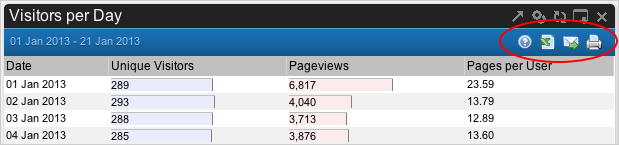
To export a report to a CSV (Comma Separated Values) file, simply click the CSV Export icon and you will be prompted to download the .csv file to your disk.
Note: You can also export reports in XML format.
To send a report via Email, click the Send Email icon. You will be prompted to enter the “from” and “to” email addresses and an optional message. You will always receive a copy of the email that is sent.
Note: This feature is intended for ad hoc sending of reports. If you want to send reports via email on a regular, automated basis, please follow the procedures for Automating email alerts.
To print a Logaholic report, just click the printer icon on the report screen and a new window or tab will open with a printer-friendly version of the report that you can send to your printer (or to a PDF output file, if available).
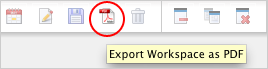
To export all reports opened in your dashboard to a PDF file, simply click the PDF icon in the top menu of Logaholic. This function is really helpful for business presentations and other professional reporting.