Get Started
Company
Copyright © 2022. Logaholic Web Analytics BV

The Automation menu of the Updating tab allows you to configure automated updates for your Logaholic statistics and automated email alerts.
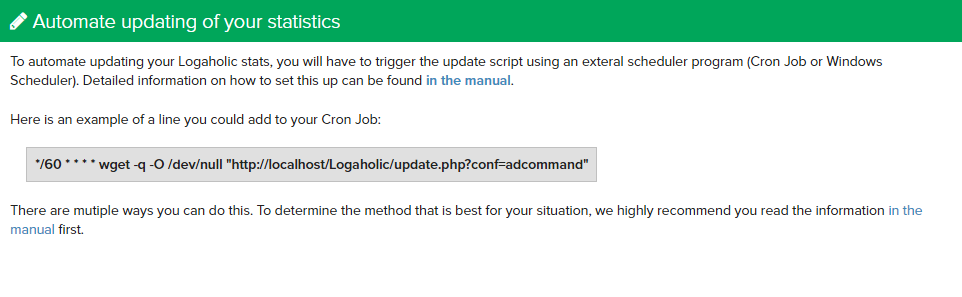
Logaholic’s analysis and reporting depends on consistent updates of your website tracking data to the Logaholic database. You can automate these updates (i.e. without having to click the Update Now button manually), by scheduling the Logaholic update.php script to run at specified time intervals.
If you wish to update your Logaholic statistics automatically
On Linux/Unix/Mac OSX, you can automate your Logaholic data updates through a cron job. There are two methods available; Wget (recommended for Self Hosted Editions), and PHP command line (recommended for Service Provider Editions)
The Wget Method should run on most Linux systems and could by-pass some permission issues.
To incorporate the Wget method, add the following command to your cron jobs, set at the time interval of your choice:
Replace your-domain.com and profilename with the appropriate values.
Example line in your crontab file:
The example above would start the update process each day at 23:50.
If Wget is not available, we recommend installing it.
You can also run the Logaholic update.php script from the command line, like this:
Replace profilename with the name of the logaholic profile you want to update. There is a space between update.php and profilename.
In a single line, the command would look like:
The php command must be run from within the logaholic directory, which is why the cd command is included prior to executing the update.php script.
An example line in your crontab file would look like:
The example above starts the update process every 20 minutes.
To automate Logaholic updates on windows, you will need to create a scheduled task and download the wget program:
Change www.whatever.com to the location of the domain you submitted when you licensed Logaholic, this could also be a IP number.
Open a command window in your working directory.
Copy and paste into the command window the command line you composed above at *9.
For this test, remove the portions of the command that silence output: -q -O NUL. Your command line will look like this: C:/windows/wget.exe NUL “http://www.whatever.com/logaholic/update.php?conf=Profilename” ENTER
You will see output in the command window indicating that the script is running. When it finishes, a file named “update.php@conf=Profilename” will be created in your working directory, containing a log of the script execution.