
Introducing Logaholic Desktop, the Easy Way to use Web Analytics Software on your PC
Logaholic Desktop is the latest addition to our product family, but unlike our server hosted software, this version works on your local PC as a regular Windows program.
There is no need to have a webserver that supports PHP and Mysql, no need to install scripts on your website and no need to set up all kinds of complicated software if you want to use Logaholic like a local Windows application.
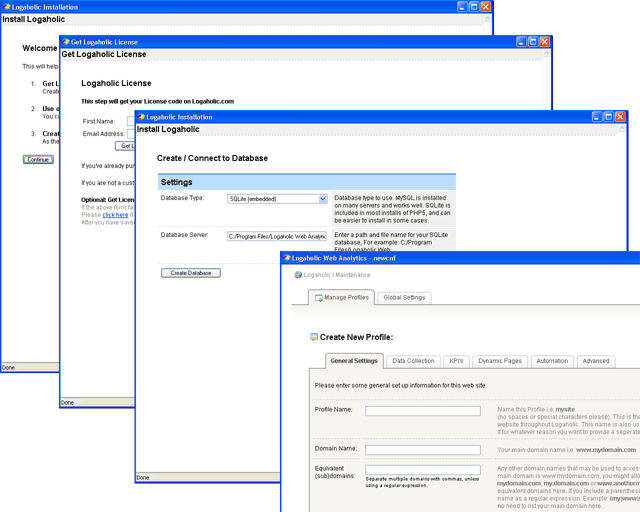 Logaholic Desktop includes everything you need in one tidy package. It installs like any other windows program and within a few clicks, you’ll be ready to analyze your websites’ log files.
Logaholic Destop has built-in support for SQLite database files, providing a fast, portable, single-file database format to store your website statistics.
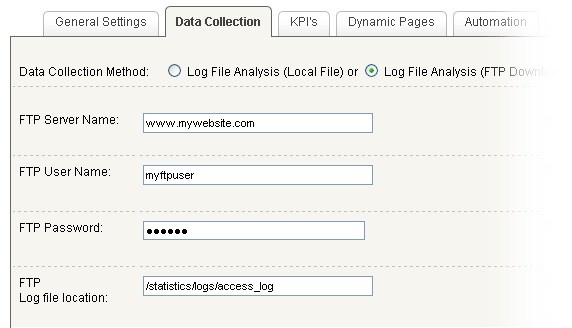 It’s ideal for anyone who can’t or doesn’t want to install Logaholic on a hosted server environment. It is equipped with almost all the features of our server side versions. You can even use the built-in FTP settings to download log files from your webserver quickly and easily.
Logaholic web analytics reveals essential information about your visitors: where they come from, how they find you, what keywords they use and what they do next. It will show you the conversion rates for your products, downloads or subscriptions. It will allow you to dig deep into the numbers behind your website and help you to understand what they mean. But most of all, it will help you make a better, more profitable website.
Powerful web analytics without the installation headaches. Logaholic Desktop is compatible with Microsoft Windows 2000, XP and Vista.